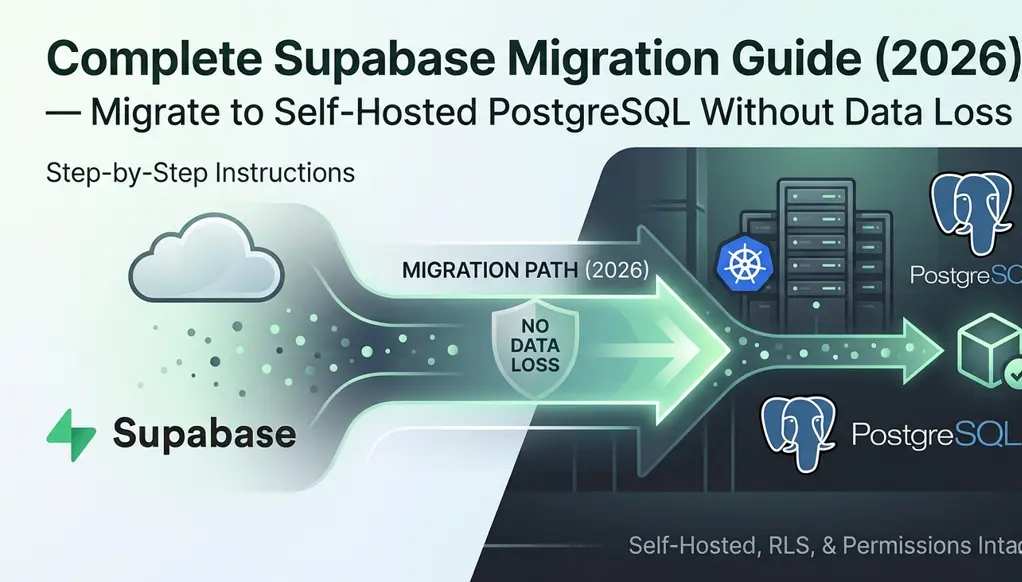
Supabase Migration to
Self-Hosted PostgreSQL
The complete, battle-tested Supabase database migration guide for developers moving from Supabase cloud to a self-hosted PostgreSQL server — VPS, local, or Docker — with zero data loss.
Why Migrate Away from Supabase? Supabase Cloud vs Self-Hosted
Supabase is an excellent BaaS platform — but there comes a point where many teams outgrow it. Whether it's cost at scale, compliance requirements, the need for deeper customization, or simply wanting full ownership of your data stack, migrating your Supabase project to a self-hosted PostgreSQL instance is a well-trodden path.
This Supabase migration guide walks through every step: exporting your schema and data with the Supabase CLI, standing up a local or VPS Postgres instance, migrating auth users, replacing Supabase-specific features, and validating the final state — all without data loss.
Always perform this Supabase database migration in a staging environment first. Never run a live migration without a tested rollback plan. Schedule a maintenance window for production.
Benefits of Self-Hosting Supabase (Why Teams Make This Move)
Moving from Supabase cloud to self-hosted gives you: full control of your PostgreSQL configuration, no vendor lock-in, lower costs at scale on your own VPS (Hostinger, DigitalOcean, Hetzner, etc.), the ability to run on-premise for compliance, and freedom to install any PostgreSQL extension.
Supabase vs Self-Hosted: What Changes in the Migration
| Supabase Feature | Self-Hosted Equivalent |
|---|---|
| Managed PostgreSQL | PostgreSQL 15+ on your VPS / server |
| Supabase Auth (GoTrue) | Self-hosted GoTrue, Auth.js, or Clerk |
| Storage Buckets | MinIO / S3 / local filesystem |
| Edge Functions (Deno) | Node.js microservices / serverless |
| Realtime (websockets) | Postgres NOTIFY + custom WS server |
| PostgREST API | PostgREST self-hosted or custom API |
| Row Level Security | Native PostgreSQL RLS (unchanged) |
| Connection Pooling (Supavisor) | pgBouncer or PgCat |
Before touching any data, ensure you have the right tools installed on your local machine or target server. This is your Supabase migration toolkit.
Required tools
- PostgreSQL 15+ client tools (
psql,pg_dump,pg_restore) - Supabase CLI (
supabase) — for Supabase schema migration export pgBouncer— for connection pooling on the target- Docker (optional, recommended for VPS Supabase self-hosting)
- Sufficient disk space: at least 3× your current database size
# macOS
brew install postgresql@15

# Ubuntu / Debian (VPS)
sudo apt install -y postgresql-client-15

# Verify installation
pg_dump --version
# → pg_dump (PostgreSQL) 15.x
npm install -g supabase
supabase login
# Opens browser for OAuth — authorize with your account
Export your full Supabase schema migration — tables, indexes, functions, triggers, RLS policies, and extensions — without data. This lets you verify the structure before moving any rows.
# Link your Supabase project
supabase link --project-ref your_project_ref

# Export schema (no data) — Supabase CLI migration
supabase db dump --schema-only -f schema.sql

# Verify the output
wc -l schema.sql
head -50 schema.sql
Check your schema for Supabase-specific extensions like pg_graphql, pg_net, or supabase_functions. You'll need to either install these on your self-hosted server or remove references if not needed.
SELECT extname, extversion
FROM pg_extension
ORDER BY extname;

-- Supabase-managed extensions to watch for:
-- pg_graphql, pg_net, pg_stat_monitor,
-- supabase_vault, pgsodium, http
Use pg_dump on your Supabase database to create a compressed backup of all data. This is the core of any Supabase backup and restore procedure. Get your direct database connection string from the Supabase Dashboard → Project Settings → Database → Connection string (use the "Direct connection", not the pooler).
# Set your Supabase connection string
export DB_URL="postgresql://postgres:[PASSWORD]@db.[PROJECT_REF].supabase.co:5432/postgres"

# pg_dump Supabase database (schema + data), compressed
pg_dump \
  --format=custom \
  --no-acl \
  --no-owner \
  --schema=public \
  --file=supabase_backup.dump \
  "$DB_URL"

# Check dump file size
ls -lh supabase_backup.dump
Dumping Specific Supabase Schemas
Supabase uses several internal schemas. For most apps you only need public and sometimes auth (for users). Dump them separately for cleaner Supabase project transfer control:
# Dump only the auth schema (users + sessions)
pg_dump \
  --format=custom \
  --no-acl \
  --no-owner \
  --schema=auth \
  --file=supabase_auth.dump \
  "$DB_URL"
Your dump file contains all user data including hashed passwords. Store it encrypted and never commit it to version control. Delete it after the Supabase migration is confirmed successful.
Spin up your self-hosted PostgreSQL. You can install it natively on a VPS or use Docker — Docker Supabase self-hosting is recommended for reproducibility and easy management on platforms like Hostinger VPS, DigitalOcean, or Hetzner.
# docker-compose.yml
version: '3.9'
services:
  postgres:
    image: postgres:15-alpine
    restart: unless-stopped
    environment:
      POSTGRES_DB: myapp
      POSTGRES_USER: postgres
      POSTGRES_PASSWORD: ${DB_PASSWORD}
    ports:
      - "5432:5432"
    volumes:
      - postgres_data:/var/lib/postgresql/data
      - ./init:/docker-entrypoint-initdb.d

  pgbouncer:
    image: bitnami/pgbouncer:latest
    environment:
      POSTGRESQL_HOST: postgres
      POSTGRESQL_PORT: 5432
      PGBOUNCER_DATABASE: myapp
      PGBOUNCER_POOL_MODE: transaction
      PGBOUNCER_MAX_CLIENT_CONN: 1000
    ports:
      - "6432:6432"
    depends_on:
      - postgres

volumes:
  postgres_data:
docker compose up -d

# Verify container is running
docker compose ps

# Connect and test
psql -h localhost -U postgres -d myapp -c "SELECT version();"
Install Required PostgreSQL Extensions
-- Connect to your new self-hosted database
CREATE EXTENSION IF NOT EXISTS uuid-ossp;
CREATE EXTENSION IF NOT EXISTS pgcrypto;
CREATE EXTENSION IF NOT EXISTS pg_trgm;  -- for text search
CREATE EXTENSION IF NOT EXISTS btree_gin;
CREATE EXTENSION IF NOT EXISTS vector;   -- if using pgvector
With your local or VPS PostgreSQL running and extensions enabled, restore the dump using pg_restore. This is the "restore" phase of the Supabase backup and restore cycle. The --jobs flag parallelizes the restore for faster throughput on large datasets.
export LOCAL_URL="postgresql://postgres:password@localhost:5432/myapp"

# Restore Supabase backup with 4 parallel jobs
pg_restore \
  --format=custom \
  --no-acl \
  --no-owner \
  --jobs=4 \
  --dbname="$LOCAL_URL" \
  supabase_backup.dump

# Check for errors in output
echo "Restore exit code: $?"
-- Run on BOTH databases and compare for zero data loss
SELECT
  schemaname,
  tablename,
  n_live_tup AS row_count
FROM pg_stat_user_tables
WHERE schemaname = 'public'
ORDER BY n_live_tup DESC;

-- Run ANALYZE first for accurate counts
ANALYZE;
SELECT relname, reltuples::bigint AS estimated_rows
FROM pg_class
WHERE relkind = 'r' AND relnamespace = 'public'::regnamespace
ORDER BY reltuples DESC;
For databases over 10 GB, consider using pg_dump with --compress=9 and transferring over rsync or SSH tunneling to your VPS. You can also use logical replication for a live Supabase migration without data loss and minimal downtime.
This is the most complex part of any Supabase auth migration. Supabase uses GoTrue for auth, which stores users in the auth.users table with bcrypt-hashed passwords. If Supabase auth is not working after migration, it's almost always because of this step. You have two options:
Option A — Export users and use a new auth provider
Extract user emails and metadata, then use Auth.js, Clerk, or your own JWT system. Users will need to reset passwords on first login.
-- Run on Supabase production DB
COPY (
  SELECT
    id,
    email,
    raw_user_meta_data,
    created_at,
    last_sign_in_at
  FROM auth.users
  WHERE deleted_at IS NULL
) TO '/tmp/users_export.csv' CSV HEADER;
Option B — Self-host GoTrue (Recommended for zero disruption)
Run the open-source GoTrue server yourself. This is the recommended approach for Supabase auth migration — it preserves all passwords and sessions with zero user disruption. Update your Supabase API keys migration and Supabase environment variables to point to the new GoTrue instance.
gotrue:
  image: supabase/gotrue:v2.156.0
  environment:
    GOTRUE_API_HOST: 0.0.0.0
    GOTRUE_API_PORT: 9999
    GOTRUE_DB_DRIVER: postgres
    DATABASE_URL: postgres://postgres:password@postgres:5432/myapp?search_path=auth
    GOTRUE_SITE_URL: https://yourdomain.com
    GOTRUE_JWT_SECRET: ${JWT_SECRET}
    GOTRUE_JWT_EXP: 3600
    GOTRUE_SMTP_HOST: your-smtp-host
    GOTRUE_SMTP_PORT: 587
    GOTRUE_SMTP_USER: ${SMTP_USER}
    GOTRUE_SMTP_PASS: ${SMTP_PASS}
  ports:
    - "9999:9999"
Update your application's environment variables and client initialization to point to the new self-hosted database. This is your Supabase environment variables setup and Supabase API keys migration step.
# ── OLD (Supabase cloud) ────────────────────────
NEXT_PUBLIC_SUPABASE_URL=https://xxxx.supabase.co
NEXT_PUBLIC_SUPABASE_ANON_KEY=eyJhbGciOiJIUzI1...
SUPABASE_SERVICE_ROLE_KEY=eyJhbGciOiJIUzI1...

# ── NEW (self-hosted / VPS) ────────────────────
DATABASE_URL=postgresql://postgres:pass@localhost:5432/myapp
GOTRUE_URL=http://localhost:9999
JWT_SECRET=your-local-jwt-secret
PGBOUNCER_URL=postgresql://postgres:pass@localhost:6432/myapp
// BEFORE — Supabase client
import { createClient } from '@supabase/supabase-js'
const supabase = createClient(SUPABASE_URL, ANON_KEY)

// AFTER — Direct PostgreSQL via Drizzle / Prisma
import { drizzle } from 'drizzle-orm/postgres-js'
import postgres from 'postgres'

const client = postgres(process.env.DATABASE_URL!)
export const db = drizzle(client)

// Example query (same logic, different client)
const users = await db
  .select()
  .from(usersTable)
  .where(eq(usersTable.active, true))
Your RLS policies are pure PostgreSQL and will be migrated automatically with pg_dump. However, they likely reference auth.uid() — a Supabase-specific function. You'll need to replace it with your own JWT claim extractor. This is a common Supabase connection issue after migration when RLS blocks queries unexpectedly.
-- Create a drop-in replacement for auth.uid()
CREATE SCHEMA IF NOT EXISTS auth;

CREATE OR REPLACE FUNCTION auth.uid()
RETURNS uuid
LANGUAGE sql
STABLE
AS $$
  SELECT
    NULLIF(
      current_setting('request.jwt.claims', true)::json->>'sub',
      ''
    )::uuid
$$;

-- Also replace auth.role()
CREATE OR REPLACE FUNCTION auth.role()
RETURNS text
LANGUAGE sql
STABLE
AS $$
  SELECT NULLIF(
    current_setting('request.jwt.claims', true)::json->>'role',
    ''
  )
$$;
Before cutting over DNS or switching production traffic, run a comprehensive validation suite to confirm data integrity and application health. This catches common Supabase migration errors before they hit users.
#!/bin/bash
# validate-supabase-migration.sh

echo "=== Running Supabase migration validation ==="

# 1. Check connection to self-hosted PostgreSQL
psql "$LOCAL_URL" -c "SELECT 1;" && echo "✓ Connection OK"

# 2. Verify extensions match Supabase original
psql "$LOCAL_URL" -c "SELECT extname FROM pg_extension ORDER BY extname;"

# 3. Check row counts — confirm Supabase migration without data loss
psql "$LOCAL_URL" -c "
  SELECT tablename, n_live_tup
  FROM pg_stat_user_tables
  WHERE schemaname='public'
  ORDER BY n_live_tup DESC LIMIT 20;
"

# 4. Verify RLS is enabled on tables (Supabase migration errors often here)
psql "$LOCAL_URL" -c "
  SELECT tablename, rowsecurity
  FROM pg_tables
  WHERE schemaname = 'public';
"

echo "=== Validation complete ==="
Post-Migration Checklist — Deploy Supabase on Your Own Server
- Row counts match between Supabase and self-hosted DB for all tables (zero data loss confirmed)
- All foreign key constraints are intact (no constraint violations)
- Application can authenticate users successfully (Supabase auth migration working)
- File uploads work (Supabase storage migration complete — MinIO or S3 configured)
- Supabase edge functions migration: replaced or redeployed as Node.js services
- Background jobs and cron tasks have been migrated
- Backup schedule is configured (daily
pg_dump+ offsite storage) - Monitoring and alerting is set up (Prometheus + Grafana recommended)
- SSL certificates are configured for the self-hosted Postgres server
- Connection pooling (pgBouncer) is working and pool sizes are tuned
- Supabase environment variables setup verified in all environments (dev, staging, prod)
Common Supabase Migration Questions (FAQ)
How do I migrate Supabase to a Hostinger VPS step by step?
To migrate Supabase to a Hostinger VPS: provision a VPS running Ubuntu 22.04+, install PostgreSQL 15 and Docker, run pg_dump against your Supabase direct connection URL, scp or rsync the dump file to your VPS, then run pg_restore. Follow Steps 1–9 in this guide exactly — the process is identical for any VPS provider (Hetzner, DigitalOcean, Vultr, etc.).
Why is Supabase auth not working after migration?
The most common reasons Supabase auth stops working after migration are: (1) the auth.uid() function doesn't exist on the new database — fix this with the SQL in Step 8, (2) your JWT secret doesn't match between GoTrue and the app — ensure GOTRUE_JWT_SECRET is consistent, (3) the auth schema wasn't included in the dump — re-run pg_dump --schema=auth.
What are the main differences between Supabase cloud vs self-hosted?
With Supabase cloud vs self-hosted: cloud gives you managed infrastructure, automatic backups, and a dashboard UI with no ops overhead, but costs more at scale and means vendor lock-in. Self-hosting gives you full control, lower costs on your own VPS, custom PostgreSQL configuration, and compliance-friendly on-premise options — but you're responsible for backups, scaling, and monitoring.
Can I migrate Supabase storage (buckets) to self-hosted?
Yes. For Supabase storage migration, the recommended approach is to use MinIO (S3-compatible) on your self-hosted server. Export your bucket contents using the Supabase Storage API or rclone, sync to MinIO, then update your app's storage client to point to the MinIO endpoint. The storage.objects table metadata is included in your pg_dump.
How is Supabase different from Firebase for migration purposes?
The key Supabase vs Firebase migration difference is that Supabase uses PostgreSQL (a relational database), so you can use standard pg_dump/pg_restore tools with no data transformation. Firebase uses Firestore (NoSQL), which requires a completely different migration strategy — exporting JSON and transforming it to fit a relational schema. Supabase migrations are significantly more straightforward for this reason.
Rollback Plan
Always have a clear rollback procedure before cutting over. The simplest rollback is to keep your Supabase project active and simply switch the environment variables back. This is why we recommend keeping the Supabase project active until the self-hosted migration is proven stable.
Do not delete or pause your Supabase project until the Supabase migration to self-hosted has been running stably in production for at least 2 weeks. Keep the project in a paused state (billing stops) but ensure you can un-pause within minutes if a rollback is needed.
Wrapping Up: Deploy Supabase on Your Own Server
Migrating from Supabase to a self-hosted PostgreSQL stack is significant engineering work, but the result is full ownership of your data, lower costs at scale on your own VPS, and the freedom to customize every layer of your infrastructure.
The critical success factors are: a meticulous pre-migration audit using the Supabase CLI, a tested Supabase backup and restore procedure, and a careful Supabase auth migration strategy. Once you're running your own stack, invest time in proper monitoring, automated backups, and connection pooling — the things Supabase was handling for you transparently.
Comments
Be the first to comment.